
Bring what you have.
Surge profiles convert one to one; Clash, mihomo and sing-box configs as far as their meaning carries. Whatever cannot come over is kept as a note to review, never dropped quietly.
Pipe for iPhone, iPad and Mac
Bring your own proxies and route by rules — free forever for everyday use. With Pipe Pro, Tailscale runs in the same tunnel and one key covers all your devices. All on a Rust engine lighter than the cores it replaces.
Out now on iPhone, iPad, iPhone Duo and Mac. Android, HarmonyOS, Windows and Linux are on the roadmap.
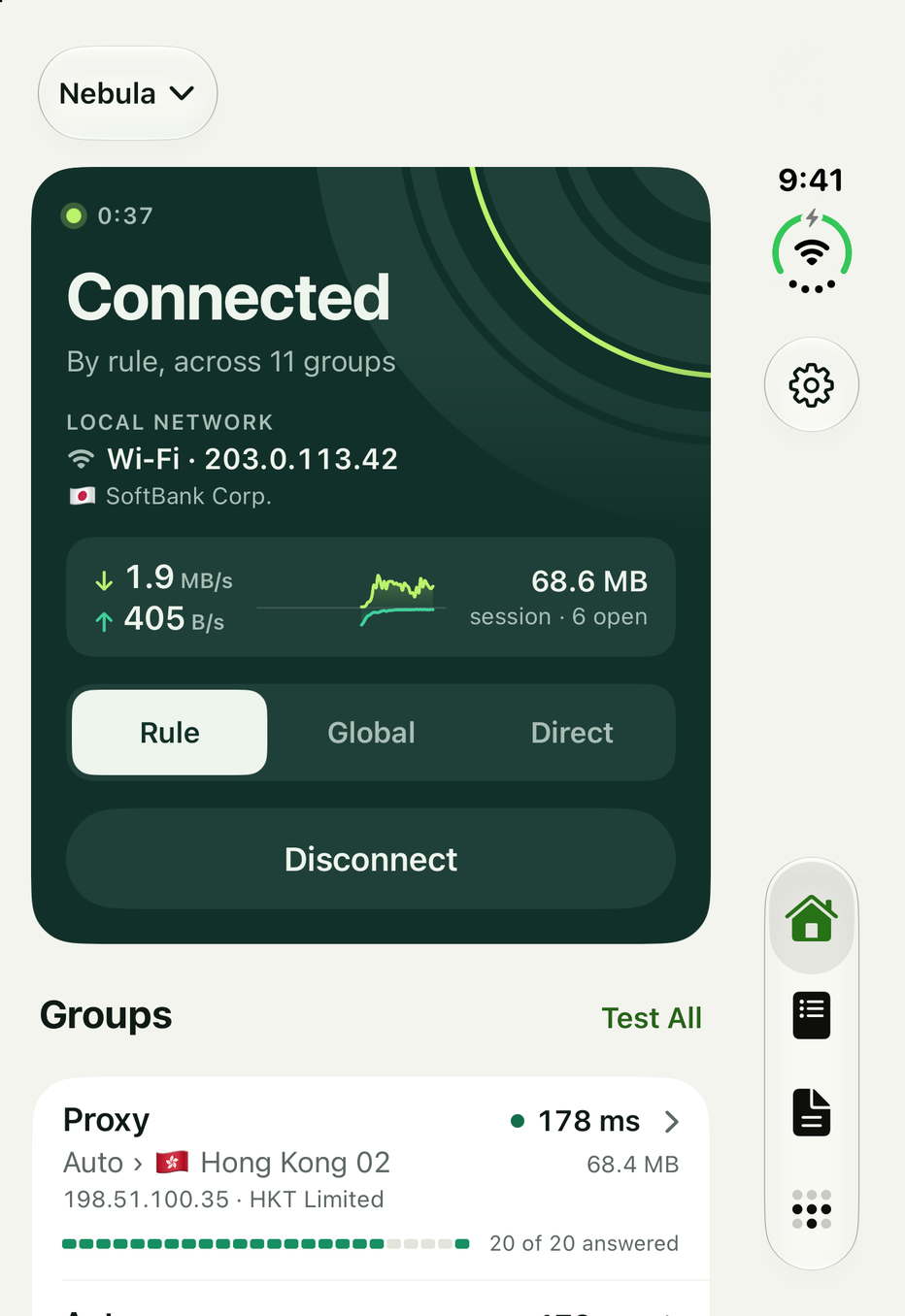
The app
Four tabs, the same on Free and Pro. Home and Profiles are free for good. Activity and Tailscale come with Pipe Pro.
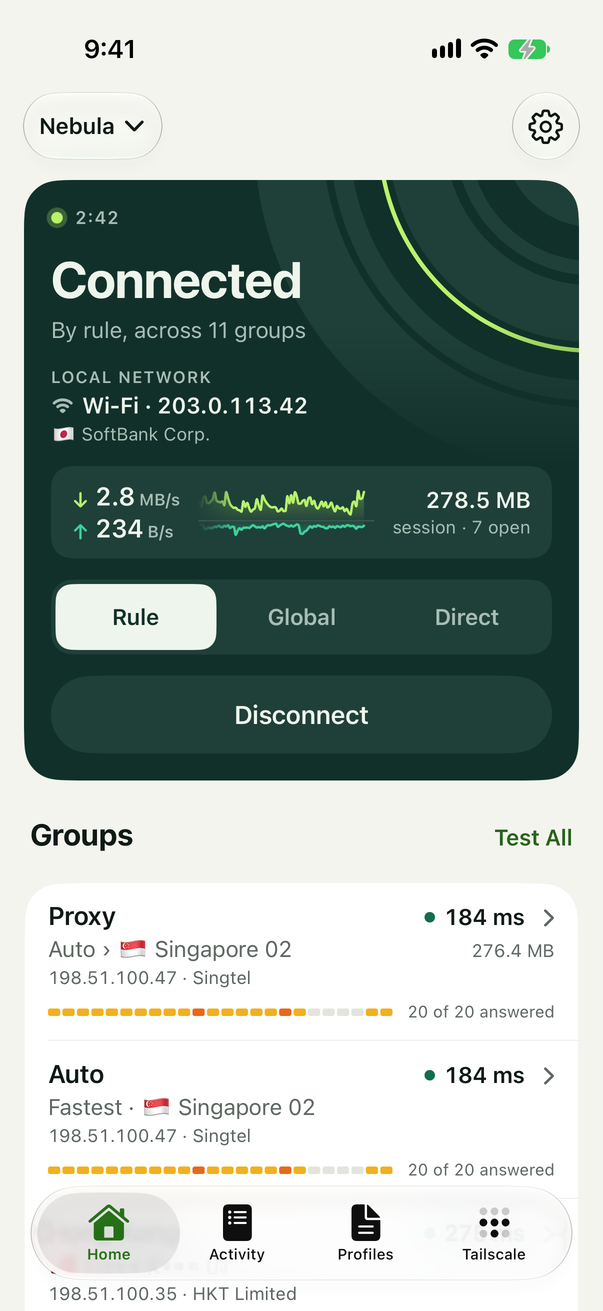
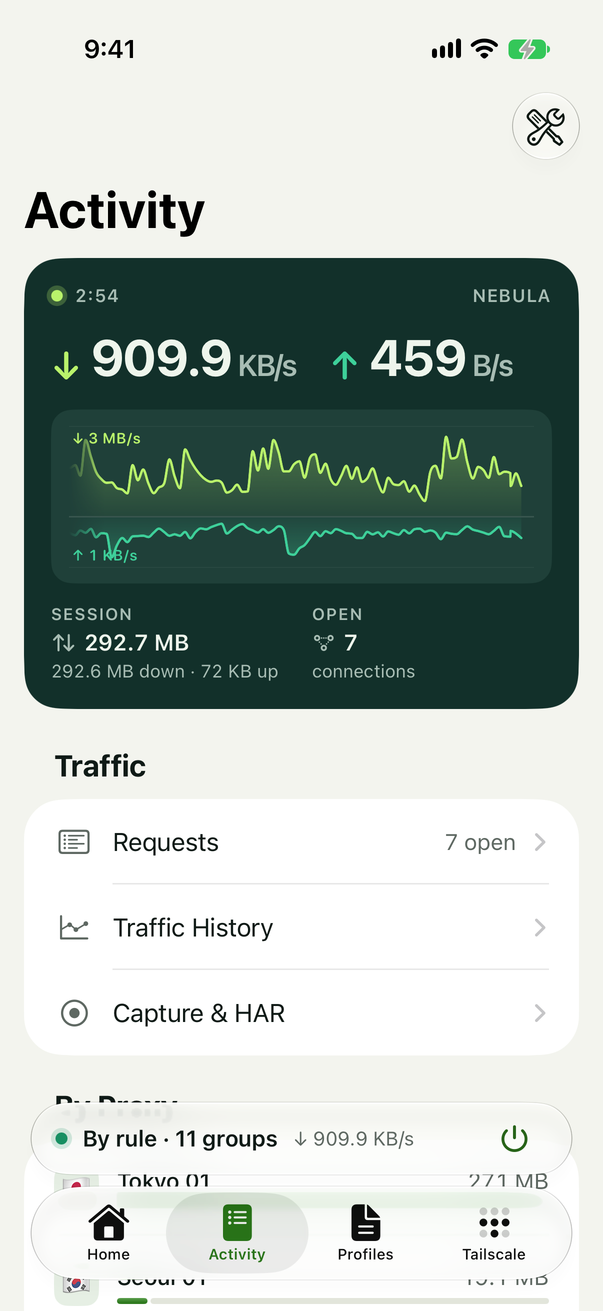
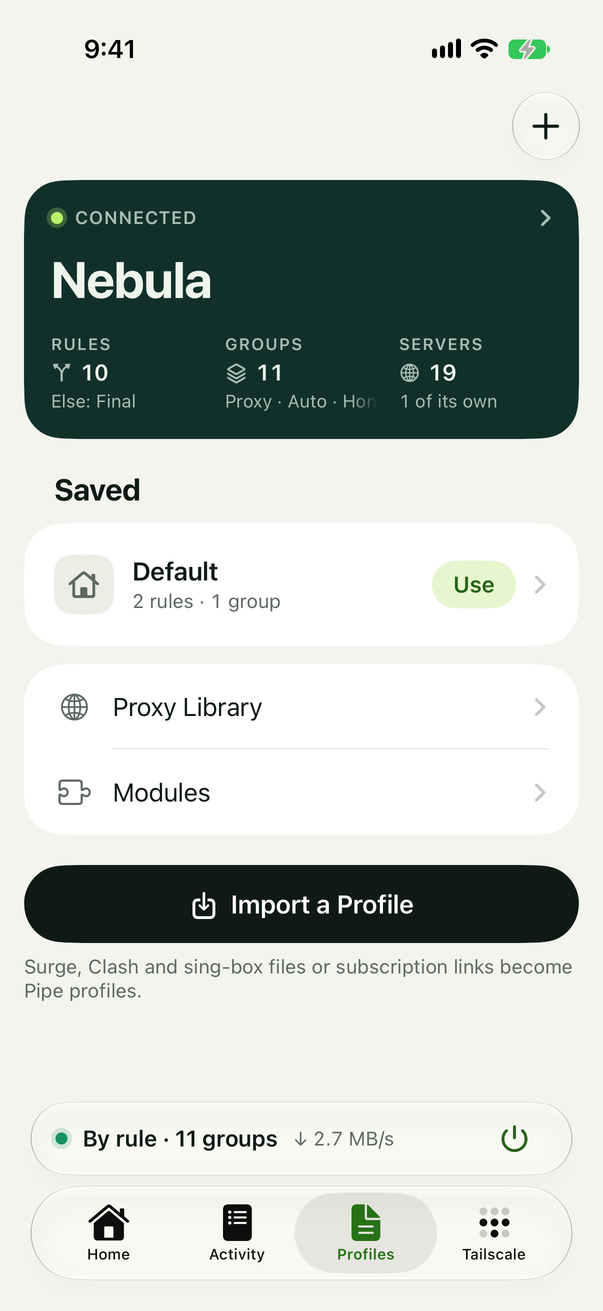
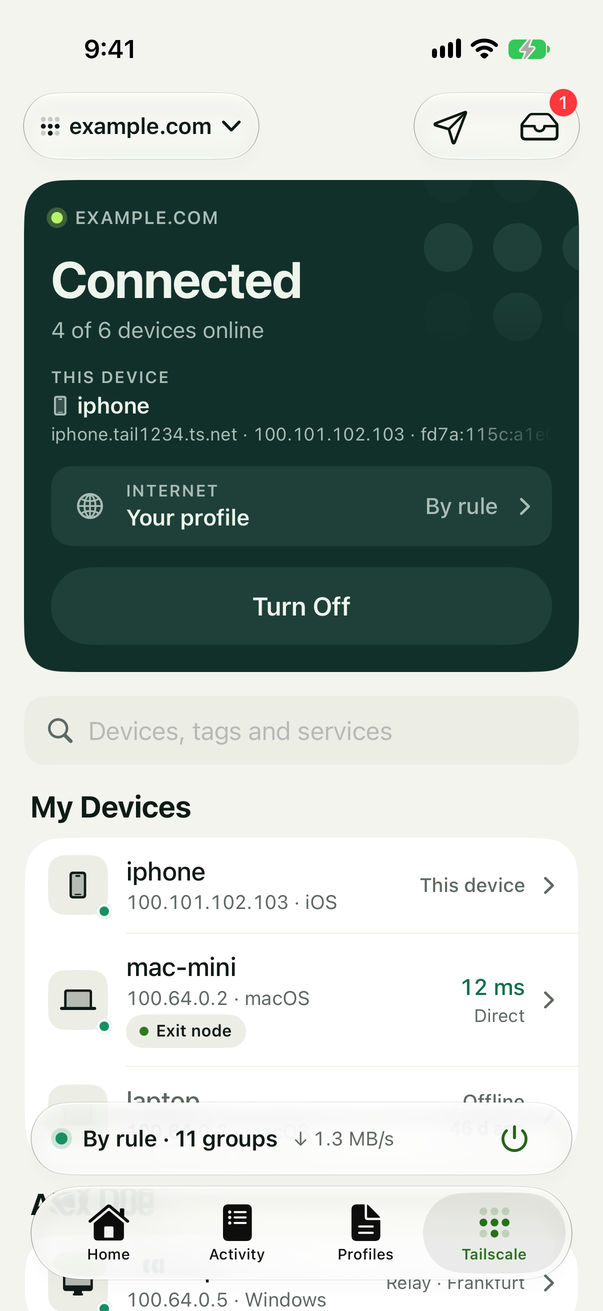
Screens from the iOS app on an iPhone, with sample servers.
Free and Pro
Nothing on Home or Profiles ever asks for Pro, and there are no ads, accounts or limits on time and data. One plan unlocks the Tailscale and Activity tabs on every device you own.
Free
US$0for good, no account
On iPhone, iPad and Mac. Nothing to sign up for.
PROPipe Pro
US$19.99a year · one key · 10 devices
Buy in the app or on this site. One key works on iPhone, iPad and Mac today, and on Android, HarmonyOS, Windows and Linux as they ship — no account. When Pro ends, its features stop; everything free keeps working.
Tailscale, in Pipe Pro
An iPhone runs one VPN at a time, so a tailnet and a proxy client usually take turns. Pipe runs a full Tailscale client inside its own tunnel: your devices go through your tailnet, and the internet goes the way you chose.
Reach every device, subnet and service on your tailnet by its MagicDNS name, in every mode, while your rules keep routing the rest.
Send the whole internet through an exit node, or name one in a rule so only one group goes there. A chosen exit node never falls back.
Send files to your other devices from the share sheet, and find what they send in Pipe’s inbox.
While it signs in, or once it is signed out or expired, your tailnet’s names and addresses never leak to a proxy or the internet.
On a Mac the node serves too: an exit node and subnet router for your tailnet, and Serve and Funnel for its local services.
Platforms
Each app is native over the same Rust core, so a profile means the same thing everywhere — and a Pro key counts the same ten seats on all of them.
A Pro key bought today unlocks them as they ship, with no new subscription.
iOS 27 and later
The app above: a packet tunnel for the whole device, Home Screen and Lock Screen widgets, a Control Center control, Shortcuts and Siri, and Send with Pipe in the share sheet.
App StoremacOS 27 and later
The same pages, laid out for a Mac, plus what a computer has: Flow and Tracks, a system proxy, rules by process, Gateway Mode for the network, a tailnet node that serves, and Cloudflare Tunnel.
Download for MacAnd pipe on the command line: check and trace a profile, run the engine, serve a tunnel.
Speed
The same Mac, the same server and the same loads for all three. Pick a protocol: Pipe moved more and spent less CPU for every gigabyte, and far less while connections sat idle.
Mbit/s on one stream. More is faster.
The client’s CPU seconds for each GiB carried. Less is lighter.
Mbit/s on one stream. More is faster.
1.6×
than sing-box, and 2.2× less than mihomo, over the protocols both finished.
33×
than sing-box, and 12× less than mihomo, while connections sit open.
226×
than sing-box, and 171× fewer than mihomo, over the same idle connections.
5 MiB
sing-box takes 50 to 61 ms and 12 to 13 MiB; mihomo 18 to 21 ms and 14 to 15 MiB.
Measured on 3 November 2026. Pipe’s engine, sing-box 1.14.4 and mihomo 1.19.33 ran as SOCKS proxies on one Mac (Apple M1 Max), with configs of the same shape, against the same server and sinks in a Linux VM on that Mac, the clients’ order rotated. Ratios are geometric means. This is a lab path, not the internet or a phone: Pipe does not lead in every case, and none of this measures phone speed or battery life.
Rules
A profile is a text file: proxies, groups, rules, DNS. The included one sends your local network and sites in your own country direct, and the rest through the proxy you pick. Watch it decide.
Follow the profile’s rules
11[Rule]
12RULE-SET,LAN,DIRECT
13DOMAIN-SUFFIX,doubleclick.net,REJECT
14GEOIP,REGION,DIRECT
15FINAL,Proxy,dns-failed
Proxy 1 Direct 2 Reject 1
FINAL decides the rest. REGION is the country of the network you are on.1[Proxy]
2Tokyo 01 = trojan, jp.example.net, 443, password=secret
3Osaka 02 = ss, osaka.example.net, 8388, encrypt-method=rc4-md5, password=secret
Shadowsocks stream ciphers are not supported. Groups leave it out; rules that name it reject.
4
5[Proxy Group]
6Proxy = select, Tokyo 01, Osaka 02
7
8[Rule]
9RULE-SET,LAN,DIRECT
10DOMAIN-SUFFIX,doubleclick.net,REJECT
11GEOIP,REGION,DIRECT
12FINAL,Proxy,dns-failed
Surge profiles convert one to one; Clash, mihomo and sing-box configs as far as their meaning carries. Whatever cannot come over is kept as a note to review, never dropped quietly.
The app shows a profile as settings — add a rule, make a group, change DNS — and writes each change into the file, touching only the lines it changes. The text is one tap away.
Surge’s script API and module format work as they are: request and response scripts, rules, DNS, cron and panels, in QuickJS with limits.
$ pipe check profile.conf
warning: line 3: proxy 'Osaka 02' cannot be used: Shadowsocks stream ciphers are not supported. Groups leave it out; rules that name it reject
ok: profile
  proxies  1 usable, 1 not
    cannot use Osaka 02: Shadowsocks stream ciphers are not supported
  group    Proxy (select, 1 members)
  rules    3 (in file order)
    line 9     RULE-SET,LAN                                 → route via DIRECT
    line 10    DOMAIN-SUFFIX,doubleclick.net                → reject:reset
    line 11    GEOIP,REGION                                 → route via DIRECT
  final    Proxy
$ pipe why profile.conf ad.doubleclick.net
reject:reset — rule profile#1 (domainSuffix:doubleclick.net)
  profile#0                    any(2 arms)                          no: all arms failed (any[1]: no resolved ip (this ipCidr rule does not resolve domains))
  profile#1                    domainSuffix(doubleclick.net)        MATCH domainSuffix:doubleclick.net
The engine
Inbounds, the router, DNS, the HTTP engine, every protocol and a TCP/IP stack of its own, built to be lighter and more careful than the Go cores it replaces — and bounded: anything input can grow is capped.
By name, address, port, network, process and more; Surge, Clash and sing-box lists from anywhere, compiled to indexes the tunnel loads without parsing. GEOIP for every country built in, and REGION for the country you are in.
Servers raced over UDP, TCP, DoT, DoH, DoQ and DoH3; a cache that answers while it refreshes; hosts, rules and fake IPs that outlive a restart. Presets for System, Cloudflare, Google, Quad9 and AdGuard, or servers of your own.
URL, header and body rewrites (jq too), Map Local, and HTTPS decryption over HTTP/1.1, HTTP/2 and WebSockets, with capture and HAR export — for the hosts you name, with a certificate you install.
Surge-style JavaScript in QuickJS with memory and time limits: request and response scripts, rules, DNS, cron and panels. Modules from a URL or a file, switched on and off, put in order, given their arguments.
A changed profile reroutes new connections at once while the open ones keep their path. Networks change under the tunnel without a restart.
A server is authenticated and otherwise not believed: TLS against trusted roots or your pins, frames checked, retained state bounded, a WireGuard packet that does not open under its key dropped without an answer.
Private by default
Pipe sells no proxy service and runs no exits. It asks nothing of any service but what you allow: the public address Home shows, and the sites Diagnose checks when you ask.
Requests, the logbook and HAR files are read where they were made. Share them only when you mean to; they can hold credentials.
Pro is a key made on your device, in the style of WARP+: 24 letters and digits that never leave it. It also seeds Profile Sync’s encryption, so the service never holds a profile it can read.
Scripts and modules run with the access you give them, inside limits. Review a profile before connecting, as you would any config.